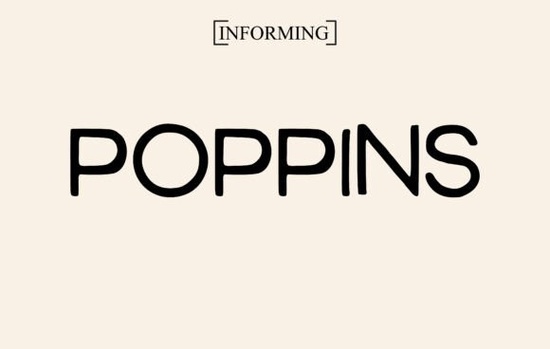
If you've been searching for a clean, modern typeface that works in almost any context, the Poppins font is worth your attention. It's a geometric sans serif with rounded letterforms that feel friendly without losing professionalism. Whether you're designing social media graphics, t-shirt mockups, wedding invitations, or magazine layouts, Poppins adapts easily to the task.
What Makes Poppins a Go-To Font for Designers?
Poppins stands out because of its balance. Each letter has a consistent geometric shape with soft, rounded edges. This gives it a warm, approachable feel but it never looks sloppy or informal. You can use it for a bold headline on a poster and then switch to small body text on a business card, and it still reads clearly at both sizes.
That legibility is a big deal. Many decorative fonts sacrifice readability for style. Poppins doesn't. It keeps things clean and easy to scan, which matters for:
- Magazine headlines that need to grab attention fast
- Product packaging where text must be clear at a glance
- Social media posts viewed on small phone screens
- Website headers and navigation menus
- Branding materials like logos, business cards, and letterheads
Is Poppins a Good Font for Print-on-Demand Products?
Absolutely. Print-on-demand sellers often need fonts that look sharp on both screen and physical products. Poppins fits that need well. Its clean geometry translates beautifully onto t-shirts, mugs, tote bags, and stickers. Because the letterforms aren't overly complex, it prints crisply even at smaller sizes.
Many sellers pair it with a script or handwritten font to create contrast. For example, you could combine Poppins with a flowing script for wedding invitation designs. If you like that handwritten aesthetic on its own, the Best Friend font offers a casual, personal feel that pairs nicely with clean sans serifs like Poppins.
How Does Poppins Compare to Other Sans Serif Fonts?
Sans serif fonts are everywhere, so what makes this one special? Compared to more traditional options like Montserrat, Poppins has slightly softer, rounder shapes. It feels less corporate and more versatile. Where Montserrat leans serious, Poppins stays approachable.
If you're working on a project that calls for something even more stylistic, the Surfume font brings a different kind of elegance with its unique sans serif character. But for general-purpose use from branding to editorial design Poppins tends to be the more flexible choice.
Some designers also compare it to Raleway. Both are geometric sans serifs, but Poppins has a slightly wider character set and a more consistent weight range, which gives you more options when building out a full design system.
What Projects Work Best With This Font?
Here's a quick breakdown of where Poppins really shines:
- Wedding invitations Its gentle curves feel elegant without being stuffy
- Social media graphics Clean and readable on every platform
- Branding and logos Professional enough for corporate use, friendly enough for lifestyle brands
- T-shirt designs Prints well at any size
- Greeting cards Warm and inviting
- Website design Pairs well with both serif and script fonts
- Resume and document layouts Polished and modern
Can Beginners Use Poppins Easily?
Yes. One of the best things about this font is that it doesn't require a lot of design experience to use well. Its inherent balance and spacing mean your text will look put-together even if you're not a professional typographer. You can drop it into a Canva template, a print-on-demand design tool, or a basic word processor, and it just works.
For crafters who sell on Etsy or run a small shop, having a reliable sans serif in your font library saves time. You won't need to hunt for the right typeface every time you start a new project. Poppins covers a wide range of moods and styles with just its weight variations alone from thin and delicate to bold and commanding.
Things to Keep in Mind Before You Use It
Before you start designing, here are a few practical tips:
- Check the license. Make sure you have the right license for your intended use, especially for commercial projects and print-on-demand products.
- Pair it wisely. Poppins works well with script fonts, serif fonts, and other sans serifs. Avoid pairing it with fonts that have similar geometric shapes the contrast won't be strong enough.
- Use weight variations. Don't just stick to one weight. Play with light, medium, semi-bold, and bold to create visual hierarchy in your designs.
- Test at multiple sizes. What looks great at 72pt might need kerning adjustments at 12pt. Always preview your text at the final output size.
Quick Checklist Before Your Next Project
- Download the Poppins font and install it on your system
- Choose a complementary font for contrast (script, serif, or a different sans serif)
- Test your design at both screen and print sizes
- Verify the license covers your specific use case
- Save your font pairing as a template so you can reuse it later
Having a dependable, versatile font like Poppins in your toolkit means you spend less time searching and more time creating. It's the kind of typeface you'll reach for again and again and it won't let you down.
Try It Free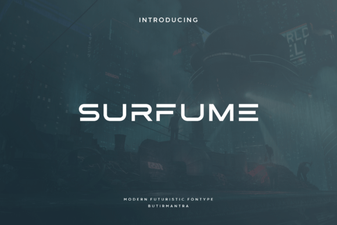 Surfume Font: Creative Typography for Modern Design
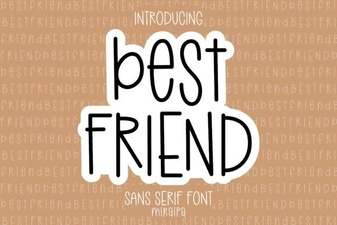 Best Friend Font: Playful Designs for Creative Projects
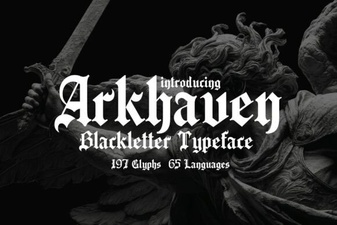 Arkhaven Font: Bold Gothic Typeface for Creative Projects
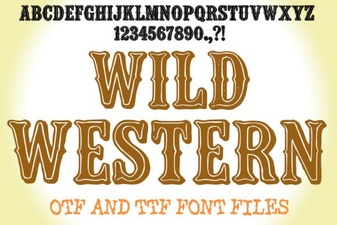 Wild Western Font: Bold Designs for Creative Projects
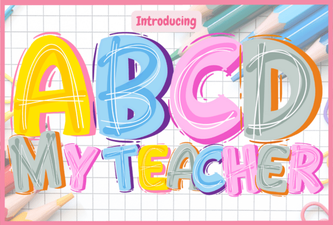 Abcd My Teacher Font: Fun Handwriting for Kids
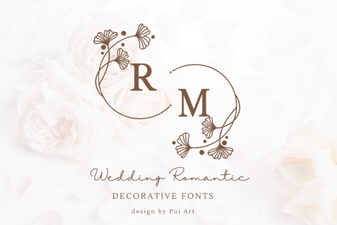 Elegant Wedding Romantic Decorative Fonts for Beautiful Invitations