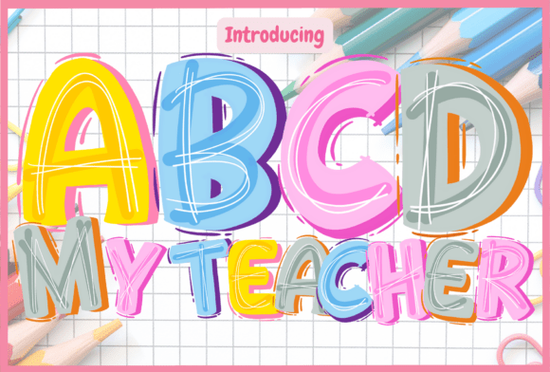
Looking for a cheerful, colorful typeface that makes classroom and educational designs pop? The Abcd My Teacher Font is a bold, bubble-letter display font built specifically for kid-focused and school-themed projects. With playful hand-drawn outlines and a multicolor style, it brings a doodle-like energy to posters, worksheets, and more.
What Does ABCD My Teacher Font Look Like?
Think of a fun chalkboard doodle but cleaner and ready to use in your designs. The letters are bold, round, and outlined with hand-drawn strokes that give each character a lively, sketchy personality. The multicolor version adds even more energy, making every letter feel like it was colored in by a happy student with a box of crayons.
It's the kind of typeface that instantly tells your audience: this is made for kids, and it's going to be fun.
What Projects Is This Font Best For?
If you work on any kind of educational or children's content, this font fits right in. Here are some popular uses:
- School posters and bulletin board displays
- Teacher resource packs sold on Etsy or TPT
- Classroom decor like labels, name tags, and door signs
- Activity sheets and printable worksheets
- Educational games and flashcards
- Back-to-school designs for print-on-demand products
- Kids' birthday party invitations and decorations
Pair it with a clean sans-serif for body text, and you'll have a layout that's both playful and easy to read. If you're building a collection of school-themed designs, browsing other back-to-school colorful fonts can help you find complementary styles.
Can I Use This Font with Cricut or Silhouette?
Yes but it depends on which version you use.
The black version of ABCD My Teacher is fully compatible with Cricut Design Space and other cutting machines. You can use it for vinyl decals, iron-on transfers, paper crafts, and more without any issues.
The color version, however, only works with certain design programs that support multicolor fonts:
- Adobe Photoshop
- Adobe Illustrator
- Silhouette Studio (Designer Edition or above)
- Inkscape (free option)
Important: The OTF/TTF files for the color version are not compatible with Cricut Design Space. If you mainly cut designs on a Cricut machine, stick with the black version for a smooth workflow.
How Does It Compare to Other Playful Colorful Fonts?
There's no shortage of fun display fonts out there, but ABCD My Teacher stands out because of its educational-specific vibe. It doesn't just look playful it looks like it belongs in a classroom.
If you like this style, you might also enjoy exploring fonts like super watercolor font options for projects that need a more artistic, painted look. Combining a watercolor font with a bold bubble font like ABCD My Teacher can create nice contrast in headers and subheadings.
For designers working across multiple school-themed projects, having a few colorful display fonts in your toolkit makes it easier to match the right mood to each design without spending hours searching.
Is This Font a Good Fit for Print-on-Demand Sellers?
Absolutely. If you sell school-related products T-shirts, tote bags, mugs, stickers, or posters this font gives your designs a hand-crafted, teacher-approved look. It works especially well for:
- Back-to-school season T-shirt designs
- Teacher appreciation gifts
- Classroom-themed sticker sheets
- Printable wall art for playrooms or nurseries
Just keep in mind the licensing terms. Always double-check that your intended use especially for commercial print-on-demand is covered under the license included with your download.
Quick Checklist Before You Download
Before you start designing, make sure you've covered these basics:
- Check your software Do you need the color version (Photoshop, Illustrator, Silhouette, Inkscape) or will the black version work for your project?
- Test the font Type out your text before committing to a full design layout.
- Plan your pairings Choose a simple body font to complement the bold display letters.
- Verify licensing Confirm your project type is covered, especially for commercial use.
- Save your files properly Keep both color and black versions organized for future projects.
Starting a new school-themed design series? Download the font, test it on one small project first, and build from there. It's an easy way to keep your creative work feeling fresh without overcomplicating your workflow.
Explore Design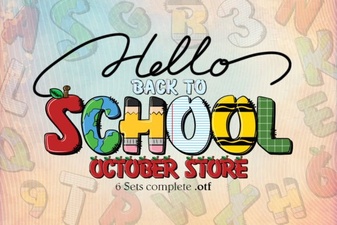 Best Back to School Fonts for Creative Classroom Projects
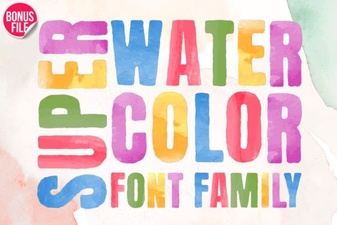 Super Watercolor Font for Creative Design Projects
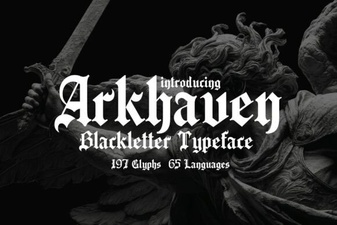 Arkhaven Font: Bold Gothic Typeface for Creative Projects
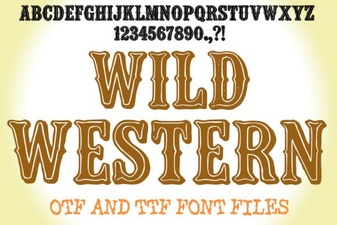 Wild Western Font: Bold Designs for Creative Projects
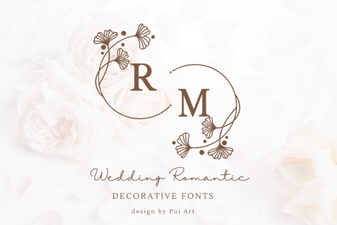 Elegant Wedding Romantic Decorative Fonts for Beautiful Invitations
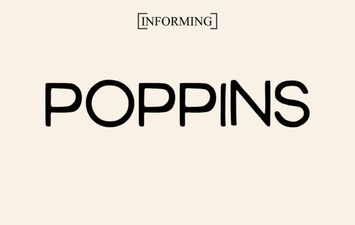 Poppins Font: Modern Geometric Versatility for Designers