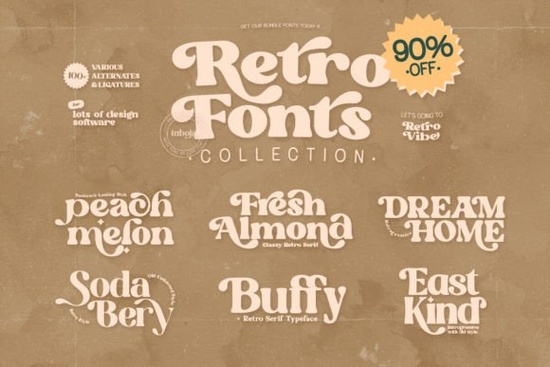
If you've been hunting for a versatile font pack that covers retro, vintage, and nostalgic design styles, the Retro Fonts Collection Font bundle on Creative Fabrica is worth a close look. It bundles six distinct typefaces into one purchase, making it a practical option for anyone working on branding projects, print-on-demand products, or social media graphics. Each font has its own personality, so you get real variety instead of six versions of the same style.
What fonts are included in this bundle?
This collection comes with six typefaces, each with a different retro vibe. Here's a quick breakdown so you know what you're working with:
- Fresh Almond Font A clean yet nostalgic style that pairs well with modern layouts.
- Peach Melon Font Soft, rounded letterforms with a warm, approachable feel.
- Dream Home Font A decorative option that works nicely for headers and display text.
- Buffy Font Bold and eye-catching, good for posters and merchandise designs.
- Sodabery Font Has that classic soda-shop lettering look from the mid-century era.
- East Kind Font A stylish serif-influenced retro font with elegant character.
Because all six fonts are PUA encoded, you can access every glyph, ligature, and alternate character without special design software. This matters if you use programs like Cricut Design Space or basic word processors that don't always handle OpenType features well.
What can you actually use these retro fonts for?
Retro fonts are surprisingly flexible. They're not just for vintage-themed projects they add character and warmth that modern sans-serifs sometimes miss. Here are some common ways people use this type of bundle:
- Logos and branding A retro wordmark can give a small business or side project an instantly recognizable identity. Think coffee shops, barbershops, bakeries, and handmade goods brands.
- Print-on-demand products T-shirt designs, mugs, tote bags, and posters often look better with a font that has personality. Retro lettering tends to sell well on POD platforms because it appeals to a broad audience.
- Wedding invitations and stationery If you design invitations, fonts like Peach Melon or East Kind bring a handcrafted, elegant quality to event stationery.
- Social media graphics Instagram posts, Pinterest pins, and story templates benefit from typefaces that stand out in a crowded feed.
- Blog headers and website accents A retro display font works well for section headers or featured quotes on a website.
For designers who also work with more whimsical or botanical styles, pairing these retro fonts with softer script typefaces can create nice visual contrast in layouts.
Is this bundle a good deal compared to buying fonts individually?
Six fonts for the price of a bundle almost always beats buying them separately. On Creative Fabrica, individual retro display fonts typically range from a few dollars to around ten dollars each depending on licensing. When you buy a collection like this, you're essentially getting each font at a fraction of its standalone price.
That said, value depends on how many of the fonts you'll actually use. If you only need one specific style, it might make more sense to grab a single font perhaps something like the Magic Flash Font if you want a bold serif option, or the Bethany Elingston style for a more refined serif look. But if you work across multiple projects and clients, having a library of retro typefaces on hand saves time and money in the long run.
Are there any limitations to keep in mind?
A few things worth noting before you purchase:
- License terms Creative Fabrica offers different license types. If you plan to use these fonts for commercial projects (like selling POD products), double-check that your license covers commercial use.
- Language support Retro display fonts sometimes have limited character sets. If you need extended Latin, Cyrillic, or other language support, test the fonts before committing to a large project.
- Readability at small sizes Display and decorative fonts work best at larger sizes. For body text or fine print, you'll want to pair them with a simpler serif or sans-serif font.
How to get the most out of this collection
Here's a practical checklist to help you decide and use the bundle effectively:
- ✅ Preview each font on Creative Fabrica using their preview tool before purchasing.
- ✅ Check the license to confirm it fits your intended use personal, commercial, or both.
- ✅ Pair retro fonts with simpler typefaces for body text to keep designs readable.
- ✅ Test glyphs and alternates once installed PUA encoding means you have access to extras that can make your designs stand out.
- ✅ Organize your font library so you can quickly find the right retro style when a project calls for it.
Quick tip: Before using any new font in a client project or POD listing, create a small test design and view it at the actual size your audience will see. This helps you spot readability issues early and pick the right typeface from the six included options.
Download Now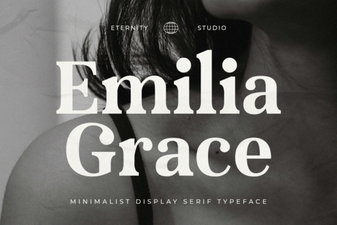 Et Emilia Grace Font: Elegant Script for Creative Projects
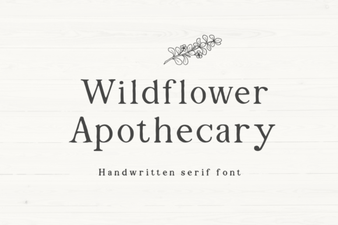 Wildflower Apothecary Font for Elegant Botanical Designs
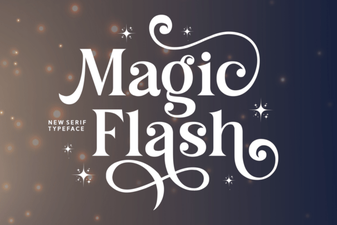 Magic Flash Font - Elegant Serif Typeface for Bold Designs
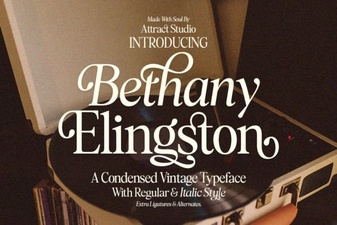 Bethany Elingston Font: Elegant Script for Creative Projects
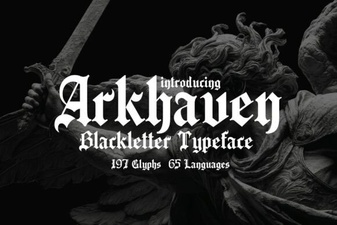 Arkhaven Font: Bold Gothic Typeface for Creative Projects
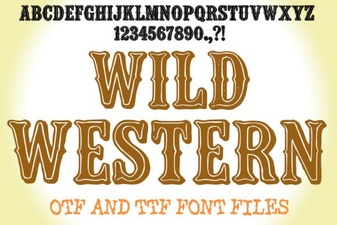 Wild Western Font: Bold Designs for Creative Projects